Helper Helper
- 4.4
- Rating
- 50.00K
- Installs
- Free
- Price

 Analysis by App-foxy
Finding a worthwhile volunteer opportunity is often harder than wanting to help. The problem is usually not motivation; it is knowing which local activity needs people, when it happens, and how to turn a good intention into a commitment. Helper Helper, an Events app from developer Helper Helper, focuses on that practical gap by connecting volunteers with community experiences. After spending time with it, I see its main value less as a social network and more as a way to make volunteering easier to discover and organize.
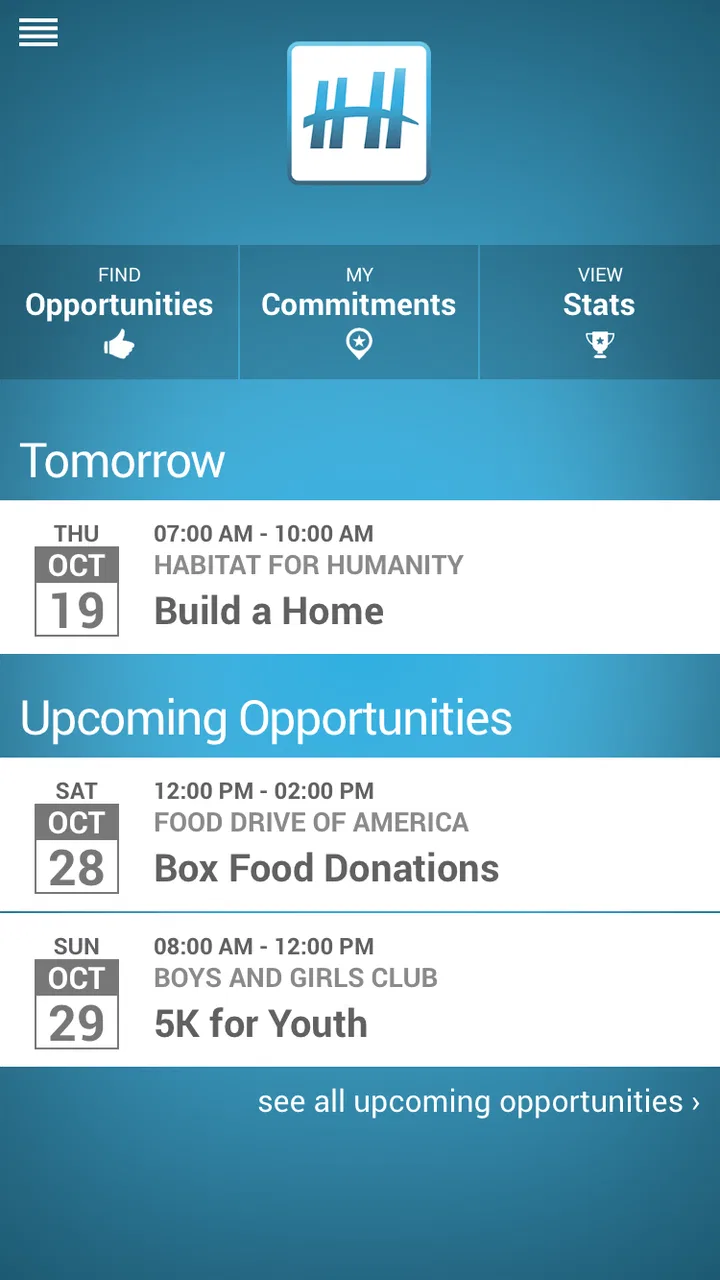
The strongest part of Helper Helper is its connection between people and real community activities. Instead of treating volunteering as an abstract promise, it gives the idea a place, a schedule, and a next step. That makes a difference for someone who has searched online, found scattered information, and then abandoned the effort because registration felt unclear or the event was difficult to fit into everyday life.
The app is free and rated for Everyone, which makes it approachable for families, students, casual volunteers, and people who are trying community service for the first time. It has earned a 4.5 average from around 238 ratings, with more than 10 thousand installs. Those numbers suggest a modest but established audience rather than a huge general-purpose platform.
You May Also Like

 Blood Strike: 2.5 Anniversary
Blood Strike’s Loadouts Turn Every Drop Into a Tactical Gamble
A close look at Blood Strike’s custom loadouts: how fast access to signature weapons reshapes its battle royale rhythm, rewards preparation, and narrows the gap between fights.

 Pandora - Music & Podcasts
Pandora’s Music Is Easy to Start, but Harder to Recover
Pandora’s strength is its low-effort path from a seed to a station. Its weak spot is how much confidence it asks you to place in connection, setup, and quiet recovery.

 8 Ball Pool
 Is Built on Rivalries, Rematches, and Routine
A close look at the rivalries, rematches, shared routines, and unanswered safety questions that turn a quick pool match into a persistent mobile community.

 Samsung Music
’s Quiet Strength Is Playing What You Already Own
Its reach comes less from spectacle than from dependable access to a personal library. That simplicity is both the app’s strongest retention engine and its ceiling.

 AccuWeather: Weather Radar
AccuWeather Review: A Quick, Clear Forecast for Everyday Decisions
For everyday plans, the best forecast is the one you can understand quickly. AccuWeather makes rain timing, radar, and local conditions easy to act on, with a few trade-offs.

 Hill Climb Racing
Why Hill Climb Racing Still Turns Crashes Into One More Run
A tiny car, a bumpy hill and one more upgrade: Hill Climb Racing keeps resurfacing because its simple chaos makes every near-miss feel personal.
More From Our News Desk



Turning the intention to help into an actual event
I’d use Helper Helper as a starting point when I’m ready to volunteer but still need to turn that intention into a practical plan. This section looks at how reliable access to current event details can shape that first choice, and why I’d check the essentials before rearranging my day.
Why the central capability matters
Many volunteering alternatives begin with a broad search. You enter a cause, browse a website, send an email, or look through social media posts. That approach can work when you already know an organization, but it creates friction when you simply want to help somewhere nearby. Helper Helper is more useful at that earlier stage: it brings community opportunities into one place so the decision is about choosing an activity rather than hunting for one.
That distinction is important. A list of charities is not the same as a list of things a person can actually do. The useful unit here is the experience: an opportunity that can be considered in the context of time, interest, and personal availability. I found that framing more motivating than reading general appeals for support, because it encourages a concrete response.
The app also suits people who do not want volunteering to become a long-term project immediately. Someone can begin with a single event, see how the experience feels, and then decide whether to return. That lowers the emotional cost of getting started. You do not have to define yourself as a dedicated volunteer before taking the first step.
How I would use it when planning a busy week
I would open Helper Helper when I had a free afternoon or a weekend morning and wanted to use that time constructively. Rather than promising myself that I would “volunteer sometime,” I could look for an opportunity that matched the opening in my calendar. This is a small change in behavior, but it is the difference between an intention and a plan.
A realistic example would be a person with a full workweek who notices an available Saturday. They might use the app to explore community experiences, choose something that fits the time they can give, and make a note of the practical details before committing. The app’s value in that situation is not entertainment; it is reducing the number of steps between spare time and useful action.
For a student, the same workflow can help turn an occasional free period into community involvement. For a parent, it may make it easier to identify an activity that can be considered alongside family responsibilities. For a group of friends, the discovery process can give everyone a shared starting point instead of passing around several unrelated links and messages.
What the experience changes in practice
The most meaningful effect is that Helper Helper changes volunteering from something you need to research into something you can browse. That does not remove every logistical question, but it improves the first decision: “What can I realistically do?” This is especially helpful for newcomers who may not know the names of local organizations or the vocabulary used by community groups.
I also like the psychological effect of seeing opportunities as separate experiences. A large cause can feel distant, while one event feels manageable. That does not make the underlying need smaller, but it gives the user a clear entry point. In my view, this is where the app has more practical value than a general search engine.
There is a trade-off, though. Discovery only helps when the opportunities presented are relevant to the person using the app. A user who wants a very specific cause, location, schedule, or level of involvement may still need to investigate beyond the app. Helper Helper can shorten the search, but it should not be treated as a complete replacement for checking the organization’s own instructions.
A useful workflow for first-time volunteers
My advice would be to start with flexibility rather than a narrow demand. Look for an opportunity that fits your available time first, then consider the cause and the practical commitment. First-time volunteers often make the process harder by searching for the perfect activity. A realistic first experience is more valuable than an ideal one that never gets scheduled.
Before deciding, I would write down the questions that matter to me: where I need to be, how long I should allow for the activity, whether I need to arrive early, and what I should bring. Helper Helper can help with discovery, but the user still needs to read each opportunity carefully and follow its current instructions. That habit prevents a common mistake: assuming that every volunteer event works the same way.
For recurring use, I would keep a simple personal record of activities I enjoyed and the times that worked well. The app can be the starting point for finding experiences, while the user’s own notes become the tool for building a sustainable routine. This is a more realistic approach than expecting one application to manage every part of a volunteer life.
The best scenario: making a group commitment feel simple
Helper Helper is at its best when several people want to help but nobody wants to become the full-time coordinator. Imagine a small group of colleagues, classmates, or friends who agree that they should volunteer together. Without a shared discovery point, one person searches, another checks dates, and someone else tries to work out whether the activity is suitable. The plan can disappear under that small pile of decisions.
Using the app as the group’s starting point makes the conversation more focused. Instead of asking everyone to search independently, the group can discuss the community experiences available and identify one that matches their collective schedule. That does not guarantee that everyone will follow through, but it removes some of the uncertainty that usually blocks the plan.
This scenario also reveals an important limitation: the app cannot solve group coordination by itself. People still need to agree on transportation, punctuality, personal responsibilities, and what happens if someone cancels. I would use Helper Helper to find the opportunity, then keep the final group arrangements in whatever communication method the group already trusts.
The app is also useful for someone who wants to volunteer alone. In that case, the benefit is different. The user does not need to persuade others or wait for a group decision. They can choose an experience based on their own availability and comfort level. That makes it a better fit for independent action than for elaborate team management.
Trade-offs compared with familiar alternatives
The usual alternative is searching the web for local nonprofits, checking individual calendars, or contacting organizations directly. That method can reveal more background and may be better when you already have a particular organization in mind. It is also the stronger option for specialized volunteering that requires detailed qualifications or a long-term relationship.
Helper Helper has the opposite advantage: it is more convenient at the discovery stage. It gives a person a focused place to begin instead of asking them to assemble information from many sources. The cost of that convenience is that the app may not provide the same depth of context as an organization’s own communication. I would use the app to narrow my choices, then verify the details that affect my commitment.
Another alternative is social media. Social posts can feel current and personal, but they are easy to miss, difficult to organize, and often surrounded by unrelated content. Helper Helper offers a more purposeful environment for looking for community experiences. On the other hand, social media may be more useful for last-minute updates or informal local conversations, depending on the organization.
General event platforms are another comparison point. They may be excellent for concerts, classes, or broad public activities, but volunteering is not simply another entertainment category. Helper Helper’s focus gives the search a clearer purpose. If your goal is specifically to find a way to contribute in the community, a dedicated volunteer-oriented app feels more natural than a general event calendar.
Where the experience can feel limited
The focused design is helpful, but it also means the app is not the right tool for every kind of volunteer. If you already have a strong relationship with a particular nonprofit, going directly to that organization may be faster. You may already know the schedule, the coordinator, and the expectations, so an additional discovery step would add little.
It is also not ideal for someone looking for a detailed professional placement. A person seeking structured work in a particular field, a formal service program, or an ongoing role with specific requirements may need a more specialized service and direct communication. Helper Helper is better suited to finding meaningful community experiences than replacing a full placement process.
I would also avoid judging an opportunity from its title alone. Volunteer activities can differ considerably in physical effort, emotional demands, time commitment, and preparation. The app makes discovery easier, but responsible selection still belongs to the user. Reading carefully and asking the organization a question when necessary is part of using the tool well.
Another practical trade-off is that a discovery app depends on the quality and relevance of the opportunities available to its audience. If you live in an area with limited activity coverage or have an unusually narrow schedule, the app may not immediately solve your problem. In that situation, direct outreach to local groups can be more effective, even though it requires more effort.
Who gains the most from using it
I would recommend Helper Helper most strongly to people who want to volunteer but have not yet developed a routine. It gives them a concrete place to start and helps replace vague good intentions with an activity they can consider. It is especially suitable for users who are open to different causes and want to see what fits their life.
It can also benefit community-minded groups that need a simple way to begin planning together. The app does not need to become the group’s entire organizational system. Its role is more modest and useful: help the group discover a shared possibility, then let the members handle the remaining arrangements.
Families and younger users may appreciate the Everyone age rating, although adults should still decide whether a particular activity is appropriate for the people joining them. The rating makes the app broadly approachable, but it does not replace checking the requirements of an individual event.
People who prefer independent, low-pressure participation may find the app appealing as well. You can approach volunteering as an occasional activity rather than a permanent identity. That flexibility is one of its strongest human advantages: it welcomes the person who wants to help once, as well as the person who may eventually return regularly.
I would be less enthusiastic about it for users who want a deep profile of one organization, a formal application pipeline, or highly specialized service opportunities. Those users may be better served by direct contact with nonprofits or a platform designed around professional and long-term placements. Helper Helper is most effective before that stage, when the main challenge is finding a suitable community experience.
Long-term usefulness and version considerations
The app has been available since January 28, 2014, and its current version is 13.2. For Android users, the minimum requirement is Android 5.0, so people with older devices should check compatibility before trying to install it. The long availability gives it the feel of a maintained volunteer-discovery product rather than a short-lived experiment, while the current version indicates that the app has continued to receive updates.
Still, I would judge its long-term usefulness by whether it helps me act, not by how long it has existed. The best test is simple: can I find an opportunity that fits my real schedule, understand what I need to do next, and follow through? If the answer is yes, Helper Helper earns a place in my routine. If I repeatedly need to leave it to find suitable details or activities, it becomes only one search tool among several.
My preferred way to use it would be deliberately narrow. I would open it when I have a realistic window for volunteering, choose an experience that matches that window, check the practical expectations, and commit only when I can genuinely attend. That avoids the common trap of collecting appealing opportunities without completing any of them.
My final view on Helper Helper
Helper Helper succeeds because it addresses a very ordinary obstacle: people often want to contribute, but they do not know where to begin. Its central capability—connecting volunteers with community experiences—has a real effect when it turns spare time into a specific possibility. I found that more useful than a broad inspirational message because it gives the user something actionable to consider.
It is not a complete volunteer-management system, a substitute for direct communication with an organization, or the best choice for every specialized placement. Its value is concentrated in discovery and first steps. That focus is a strength when you are open to local opportunities and need help moving from intention to action; it is a weakness when you already know exactly where you want to serve.
For a free Events app with an Everyone rating, Helper Helper offers a straightforward way to explore community involvement without making the process feel intimidating. I would recommend it to a friend who says, “I want to volunteer, but I have no idea what is available.” I would tell that friend to use it as a practical starting point, read each opportunity carefully, and let one manageable experience guide what comes next. Its real success is not helping you browse more—it is helping you finally show up.
FAQs for Helper Helper
01What is Helper Helper and how does it work?
Helper Helper is an app designed to streamline volunteer management for organizations and individuals. It allows users to find, track, and manage volunteer opportunities efficiently. Organizations can post events, while volunteers can browse and sign up for activities. The app also tracks hours and provides reports on volunteer involvement.
02Is Helper Helper free to use, or are there any costs involved?
Helper Helper offers a free version with basic features suitable for individual volunteers. However, organizations seeking more advanced features, such as detailed reporting and event management tools, may need to subscribe to a paid plan. It's recommended to check their website for specific pricing details and plan comparisons.
03On which platforms is Helper Helper available?
Helper Helper is available for both Android and iOS devices. Users can download it from the Google Play Store for Android devices and the Apple App Store for iOS devices. This ensures compatibility with a wide range of smartphones and tablets, making it accessible for a broad audience.
04How does Helper Helper ensure the privacy and security of user data?
Helper Helper prioritizes user privacy and data security by employing industry-standard encryption and secure servers. The app adheres to GDPR and other relevant data protection regulations. Users can trust that their personal information and volunteer activity data are handled with care and confidentiality.
05Can organizations customize the volunteer opportunities posted on Helper Helper?
Yes, organizations have the flexibility to customize their volunteer opportunities. They can add specific details such as date, time, location, and required skills. Additionally, organizations can include custom questions for volunteers to answer upon signing up, ensuring a good fit between the opportunity and the volunteers' skills and interests.
Pros
- User-friendly interface enhances navigation.
- Supports multiple languages for global users.
- Seamless integration with calendar apps.
- Offers real-time volunteer opportunities.
- Tracks volunteer hours efficiently.
Cons
- Limited offline functionality.
- Some features require premium access.
- Occasional sync issues with calendars.
- Interface can be slow on older devices.
- Limited customization options for reports.

Helper Helper
Gallery